
This past Saturday was PI Day! We celebrated at the Tech with 3D printed pies. The best part is that I got to design those pies and hand them out to guests. I’ll give a quick walk-through of the creation of the pie.
I used Creo to make my file since it’s a program I’m comfortable with and enjoy using. I created parts then assembled it as an entire pie.
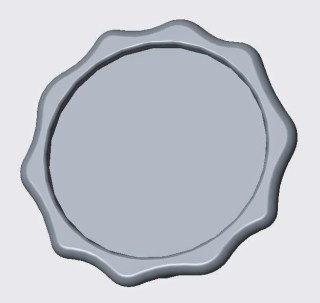
I started with the pie base. The following pictures are of the front and back of the base. I extruded a #Madeatthetech sign on the back to give it an imprinted look. It was difficult to print on the printrbot since the pies weren’t extremely big.
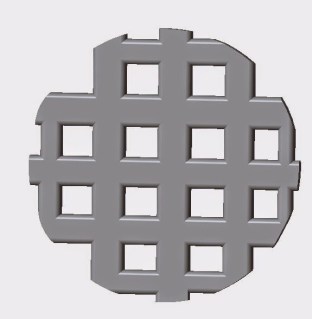
I then made the pie strips. I really wanted to make it look like they were overlapping but it was way to difficult and time consuming for me to do that. I also had trouble making the strips curved so it looked like the pie was raised. The pie just ended up being flat.
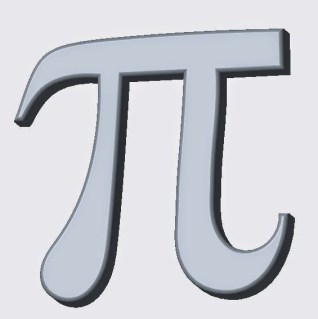
Next came the PI symbol. Since the date was 3-14-15 it only made sense to add the actual symbol of the day we were representing:
Here’s the date! I typed this date into Microsoft Word and traced it in Creo to get the same look of the font:

I then assembled my pie. I constrained the date and pi symbol onto the top so it would fit nicely. I also extruded them both far enough to touch the bottom of the pie so I wouldn’t have to deal with supports underneath when I printed them:
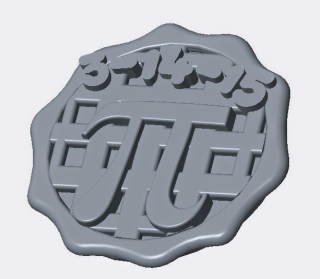

Here is the final pie! It look me some rearranging the day before to get it to print the way I wanted but I finished it just in time. I was printing them all day Saturday and a few lucky guests got to take one home! They’re not too big, only 30mm across and they only took 30 minutes to print. They came out so cute though, even the #Madeatthetech sign on the back came out; not perfectly, but you could at least read the words. I’m really excited to do more stuff like this in the future.
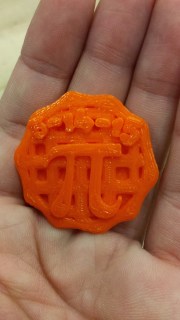
Hope you all ate lots of pie that day!
Happy pie-ing(:
 Engineer with a Twist